Everything a project needs, in one Windows application: Gantt timelines with a true critical path, Kanban, calendar, resource workload, RAID log, baselines, portfolio rollups, live dashboards, a built-in document writer and branded PDF reports. No cloud login. No subscription. Your plans live on your own machine and keep working when the network doesn’t.
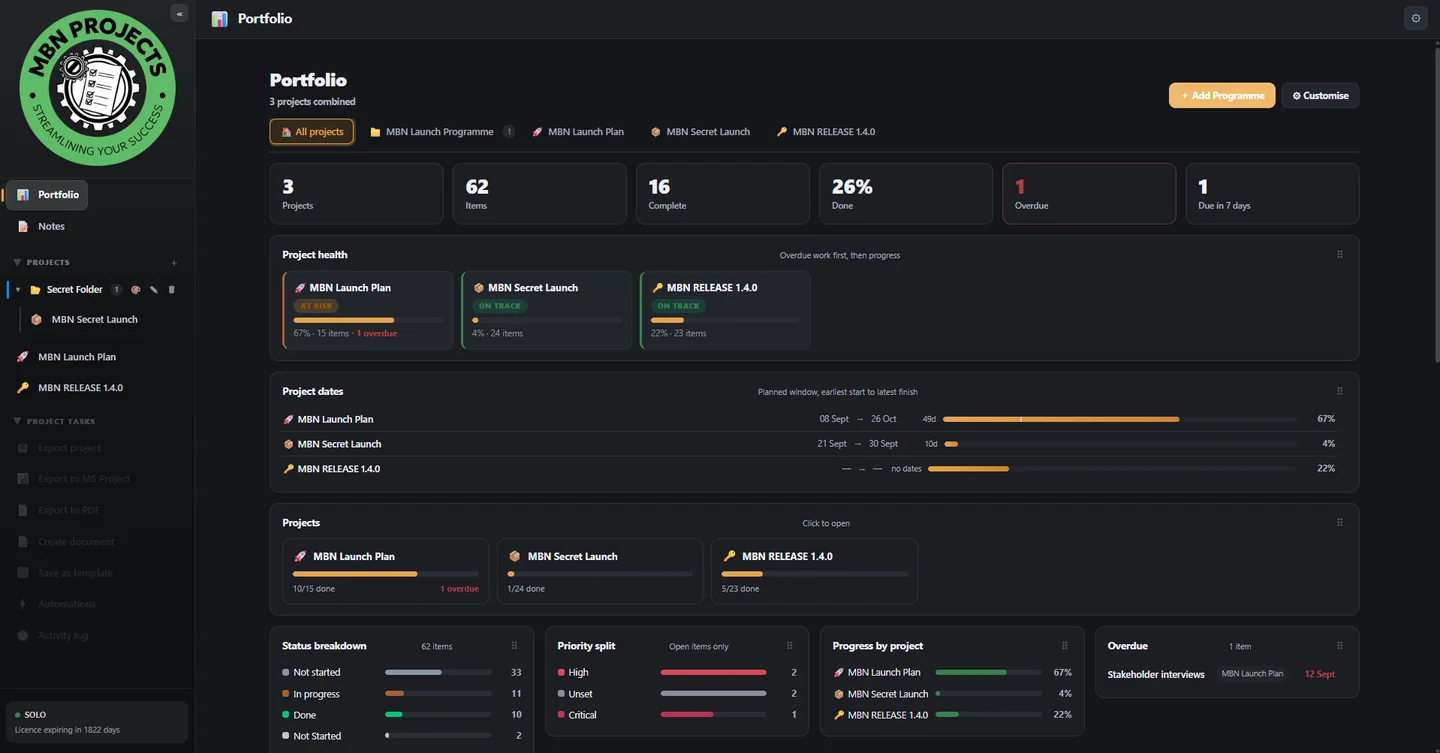
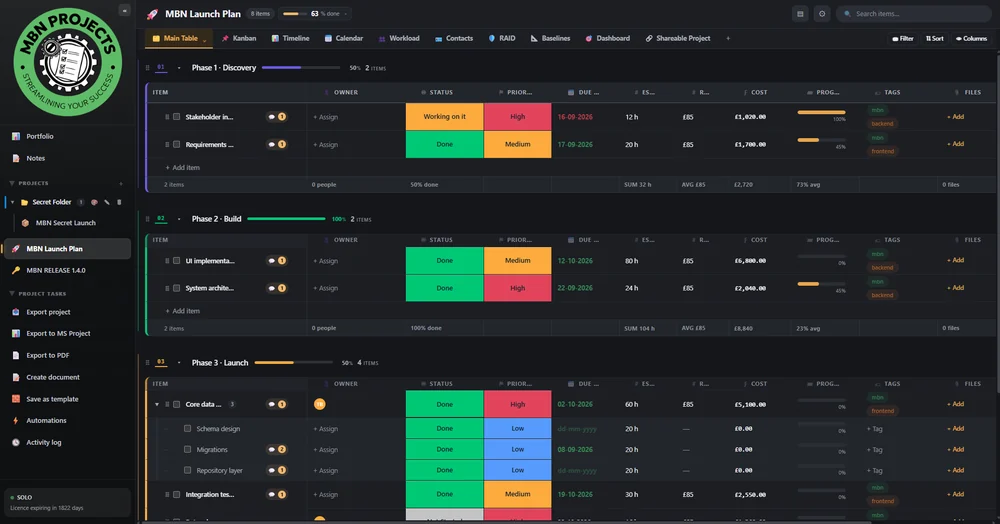
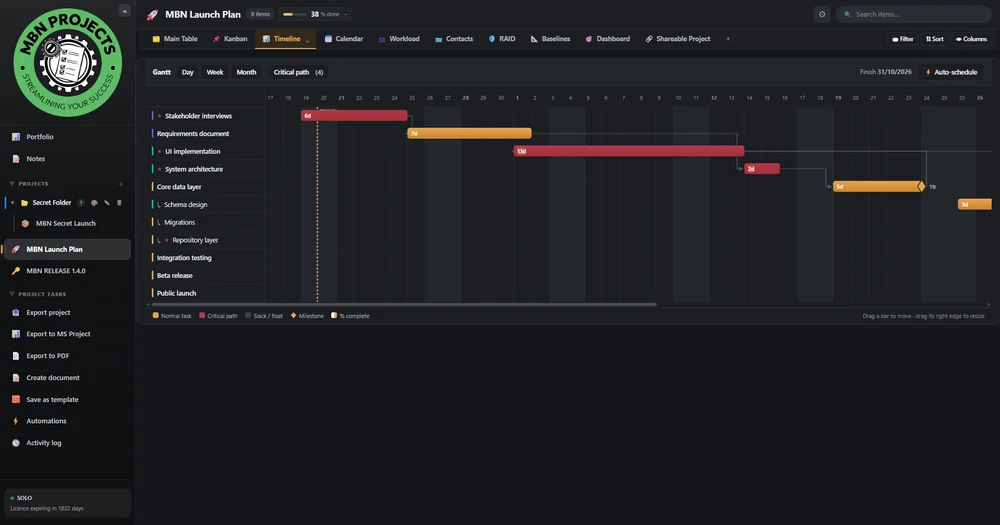
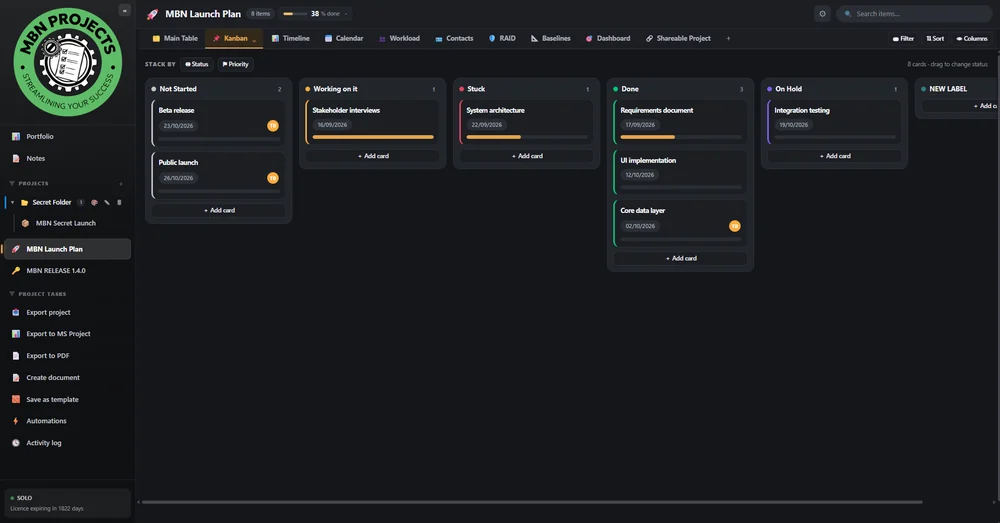
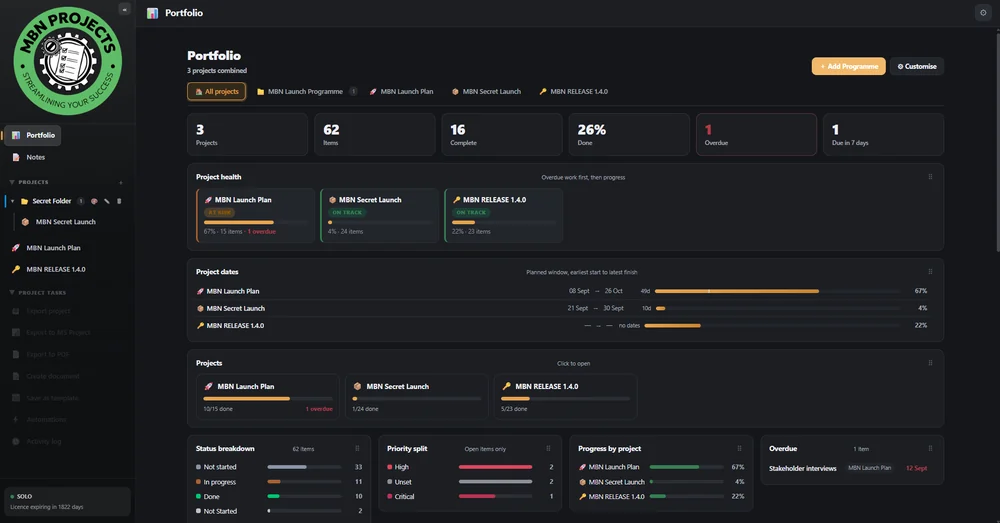
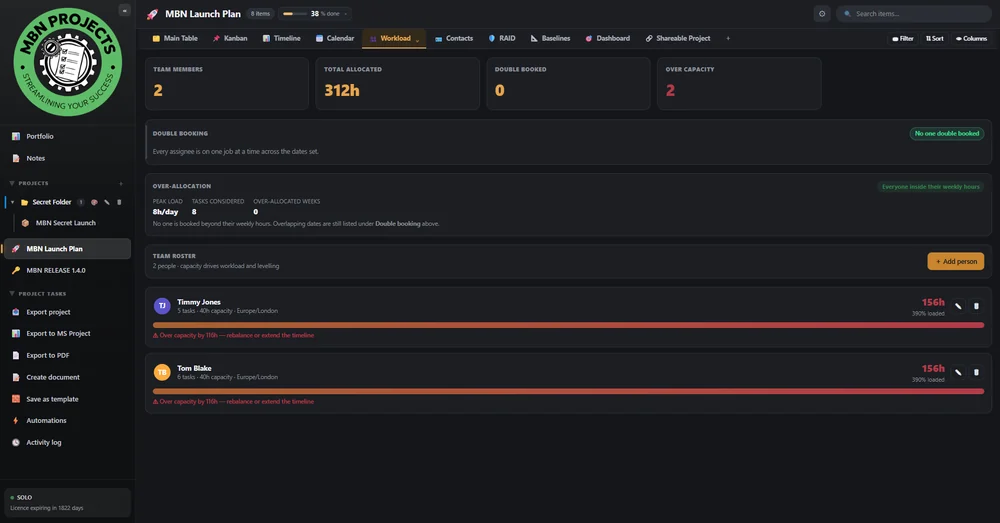
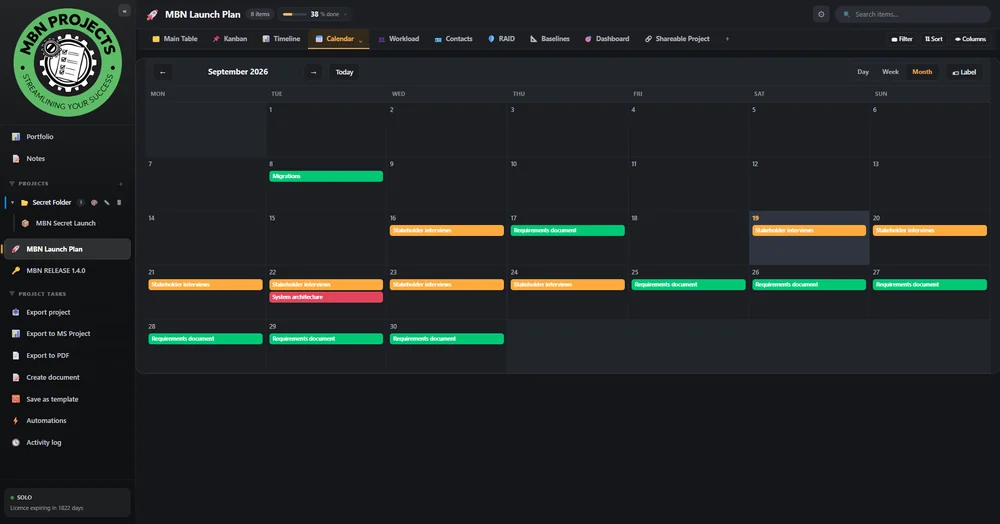
Real screenshots from the application — one set of data, every view.
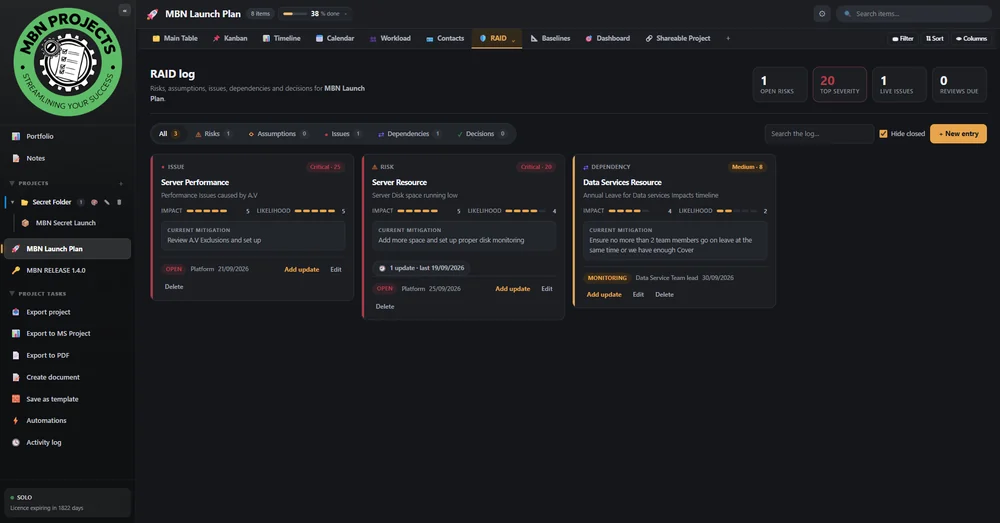
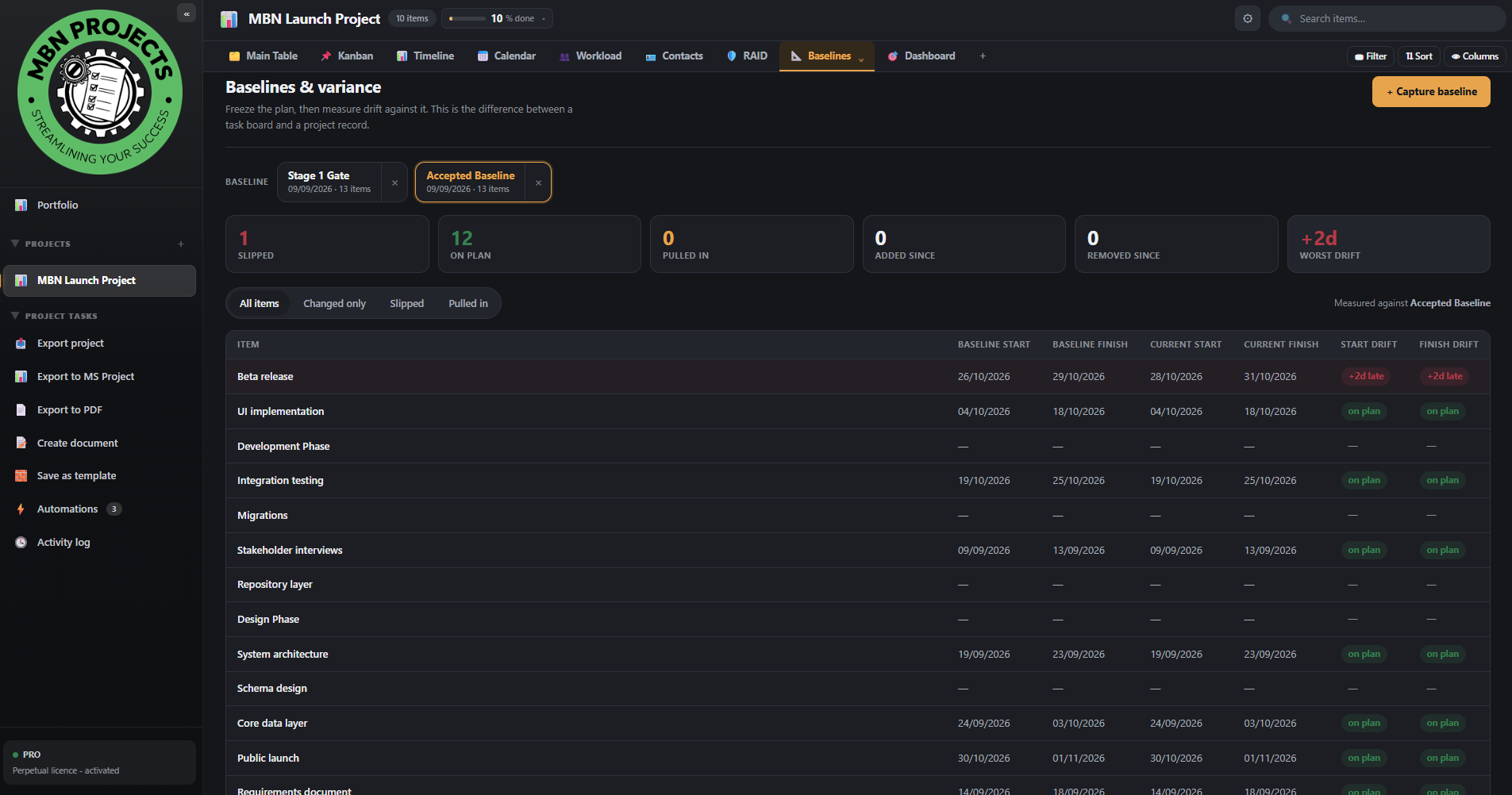
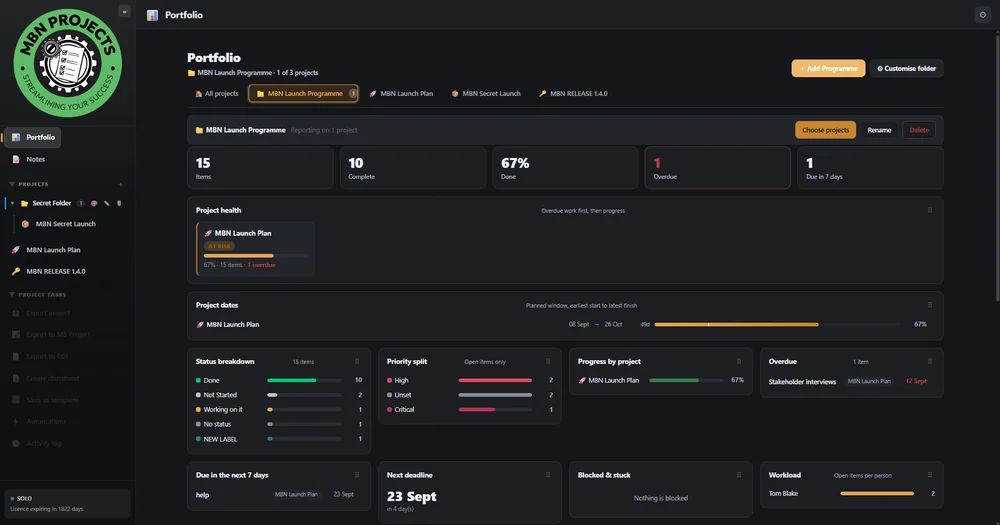
Publish any project as a read-only web page and send the link to a client, a contractor or a board member who has never installed the software. It opens in any browser, on any device, with no account and nothing to download.
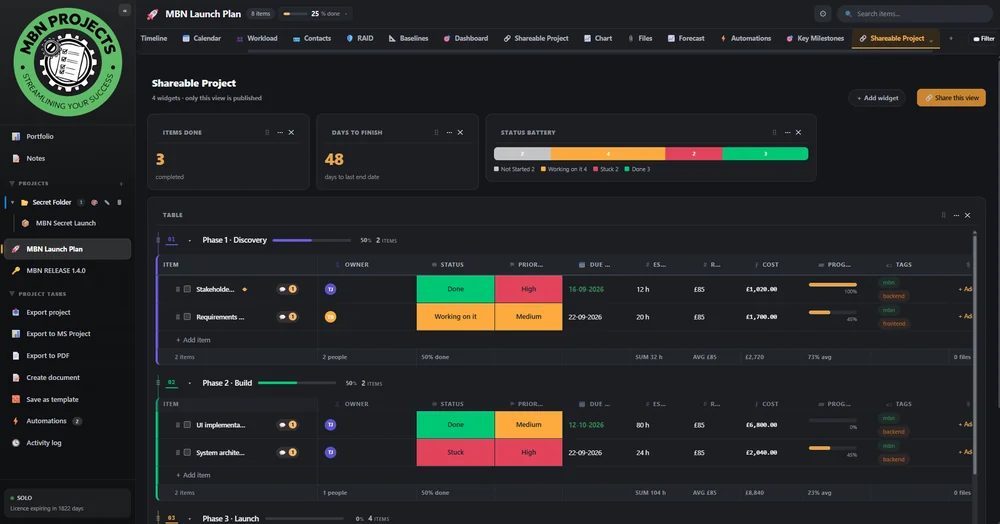
Your reader sees the plan as a live web page — tables, timeline, milestones and charts — not a PDF that was out of date the moment you sent it. Push an update and the link reflects it.
The snapshot is encrypted on your machine. The decryption key lives only in the fragment of the URL, which browsers never transmit to a server — so the host holds ciphertext it cannot read. Add a password for a second lock.
Set an expiry date, protect it with a password, and revoke the link the moment the job is done. Revocation is immediate — the page stops working for everyone who has it.
Most project tools charge per user, per month, forever — and hold your commercial data on someone else's infrastructure. MBN Projects is a one-off yearly licence for software that runs on your own hardware.
Every project, task and document lives in a local database on your own hardware — never on our servers. There is no cloud workspace to log into and no analytics SDK. Apart from licence and update checks, the app is fully usable with no network connection: work on a plane, on a secure site, or with the Wi-Fi off.
Built as a compiled Rust application with a local SQLite database — running in a lightweight native window. A ~10 MB install, not a 200 MB browser bundle. Boards with thousands of rows scroll instantly because nothing waits on a network round-trip.
Critical path, float, baselines with variance tracking, earned value (PV / EV / AC, SPI, CPI), resource levelling insight and a full audit trail. The disciplines real programme managers are asked to evidence.
Branded PDF status reports, RAID logs, exports to CSV and Excel-friendly formats, plus a built-in document writer with templates for charters, business cases and lessons learned.
From £79.99 a year for a freelancer — a single one-off payment per device. No per-user-per-month creep, no storage tiers, no paywalled “enterprise” features — every plan includes every function.
Paste the key emailed to you from support@mbn-projects.com and the app activates online in seconds — no Machine ID to send, no waiting. After that it keeps working offline, and you can release a device yourself when you change PC.
One small check at start-up tells you when a new version exists. It is silent when you are up to date, sends no project data, and can be switched off in Settings › About at any time.
Ships with a full compliance pack: security whitepaper, privacy notice, DPIA screening, ROPA, retention schedule and a software bill of materials. Hand it straight to an information governance reviewer.
Every view works on the same live data set, so a change on a board is reflected in the Gantt, the workload heat map and the dashboard immediately. Version 1.4.0 adds Key Milestones, Notes, Programmes and a full backup & restore.
Grouped, filtered, sortable boards with 24 column types and bulk editing.
Drag to reschedule, link dependencies, see the critical path and float.
Per-person capacity, double-booking clashes and weekly over-allocation.
Live KPI widgets, earned value and portfolio health at a glance.
When this changes, do that — no scripting required.
Risks, assumptions, issues and dependencies with scoring.
Freeze a plan, then track slippage against it date by date.
Charters, business cases and reports from built-in templates.
Light, dark, warm, cool and High Contrast — switch instantly with Ctrl+T.
Flag any task as a key milestone and see every one of them, with dates and slippage, on a single screen.
Pin, colour and reorder quick-capture notes, link project items as chips, and set date-and-time reminders.
Group related projects into a programme folder and roll up only those projects in the portfolio.
Scheduled or on-demand backups of every project, note and programme — and one-click restore.
Applied across the whole application — every view, every dialog, the document writer and the PDF preview. Includes a dedicated High Contrast theme. Press Ctrl + T to cycle, or pick one in Settings › Appearance.
Start with a 7-day free trial — every feature, limited to 2 projects and 1 automation. No card needed. Then one payment per device for a 12-month licence — no subscription.
All prices in GBP. A single one-off payment covers a 12-month licence — nothing renews automatically. VAT treatment confirmed at checkout.
Grab the Windows installer. No account, no email wall.
Open the app and the 7-day free trial begins automatically. Every feature, limited to 2 projects and 1 automation.
Pick your plan and pay securely. Your key is emailed to you from support@mbn-projects.com — remember to check your junk or spam folder.
Paste the key into the app. It activates online in seconds, then works offline from then on.
Seven days, every feature, no card. If it does not fit the way you deliver work, uninstall it and nothing of yours was ever uploaded.